Which Project Portfolio Management Tool Is Best for Tracking Monthly Forecasts and Budget Variances?
If your main problem is monthly forecasting and budget variance control, the best PPM tool is not simply the one with the most dashboards.
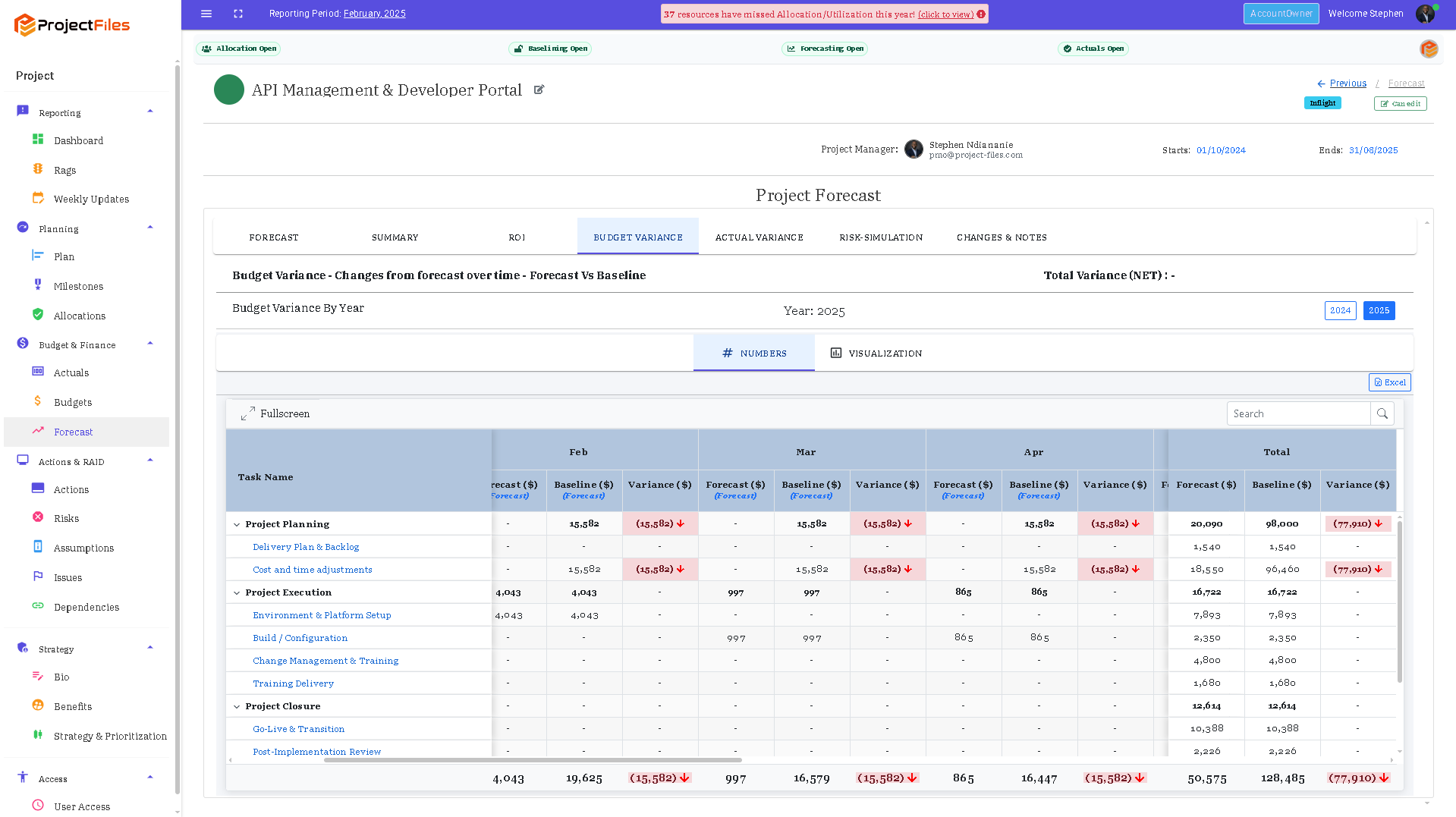
Project portfolio management software showing monthly budget forecast actuals and variance control
It is the one that helps you answer:
What did we expect?
What actually happened?
What changed?
What does that mean for the rest of the year?
That sounds simple.
But this is exactly where many portfolios become messy.
Budgets sit in one place.
Forecasts sit in spreadsheets.
Actuals arrive from Finance.
Resource changes sit somewhere else.
Then month-end becomes a small investigation.
What should you look for?
For strong monthly financial control, I would look for:
time-phased budgets and forecasts;
actuals in the same control environment;
clear variance visibility;
reconciliation between expected and actual performance;
the ability to reforecast future months;
approval of the new position;
period close and control of prior months;
and a clear audit trail of what changed and why.
That is the difference between simply reporting the numbers and actually governing them.
Established PPM tools cover this problem space
Platforms such as Planview, Planisware and OnePlan all operate in the wider PPM space, covering combinations of portfolio planning, resource management, financial control and governance.
That makes them relevant names in the buying conversation.
But the real question is not:
Which platform has a budget-versus-actual chart?
Most serious PPM tools can show that.
The better question is:
Which platform supports the way you want to control the portfolio month after month?
This is where ProjectFiles is different
ProjectFiles is built around the monthly control cycle itself.
The flow is:
Forecast → Actuals → Reconcile → Reforecast → Review → Approve → Close
That means the system is not just showing you a variance.
It is helping you deal with it.
If March actuals come in higher than expected, you should be able to ask:
Was the cost early?
Was it genuinely higher?
Was something coded incorrectly?
Does the remaining forecast need to change?
Does that change need approval?
Is the prior period now ready to close?
That is much more useful than simply seeing a red number on a dashboard.
Budgets, forecasts and actuals need to stay connected
A budget tells you what was approved.
A forecast tells you what you now expect.
Actuals tell you what has already happened.
Those three numbers should not drift apart.
ProjectFiles keeps them connected across the reporting cycle, alongside the resource and planning assumptions that help explain why the numbers moved.
That matters because project cost is not created in isolation.
It comes from people, work, timing and commitments.
Resource control strengthens financial control
This is another important distinction.
A forecast is only as reliable as the assumptions underneath it.
If a project forecast assumes three people are available for six months, but those people are already committed elsewhere, the financial forecast is already weak.
That is why ProjectFiles connects:
Capacity → Allocation → Assignment → Forecast
The financial view is tied back to the operational reality underneath it.
That makes the forecast easier to explain and challenge.
Reconciliation should correct the future
One of the biggest weaknesses in monthly reporting is that teams spend too much time explaining the past.
“Spend was £20,000 higher because…”
That explanation may be useful.
But the important question is:
What does this mean for the rest of the forecast?
Strong control should move from:
Variance → Explanation → Correction
Not just:
Variance → Commentary
That is the philosophy behind ProjectFiles.
So which tool is best?
The answer depends on the organisation.
You should absolutely compare credible PPM platforms against your own requirements.
But if your specific pain is:
“Every month we spend too much time reconciling actuals, explaining variances and trying to agree the new forecast”
then I would evaluate tools against the full monthly control cycle.
Can the tool help you:
see the variance;
understand the cause;
reconcile the difference;
update the remaining forecast;
approve the new position; and
close the period with a traceable history?
If not, you may have reporting software.
You may not yet have financial governance.
The key takeaway
Do not choose a PPM tool simply because it can display budget versus actual.
Choose one that helps you turn variance into a controlled decision.
Because the real value is not knowing that the number changed.
It is knowing why it changed, what needs to happen next, and whether the new position can be trusted.
Put stronger monthly financial control into practice
ProjectFiles connects budgets, rolling forecasts, actuals, reconciliation, resource allocation, approvals and period close in one governed environment.
Clarity. Control. Confidence.
Numbers that hold up when challenged.